What Features Should You Look for When Upgrading Your Restaurant POS?

The Rezku Team
Upgrading your restaurant POS system is one of the most important decisions you can make for your operation. A strong system keeps service fast, orders accurate, costs visible, and your team aligned.
A weak or outdated POS causes mistakes, slows down the line, frustrates staff, and makes it harder to understand what is hurting your profitability. To choose the right platform, you need to understand the restaurant POS system features that truly matter.
Whether you run full-service, quick-service, delivery-heavy operations, or multiple locations, your POS needs to keep pace with modern dining.
Below you will find the most important features to look for when upgrading your restaurant POS software and how Rezku delivers each one.
Planning to Upgrade Your Restaurant POS System? Restaurant POS System Features Matter
Most operators begin exploring new POS options because their current system slows down during peak hours, lacks depth in reporting, complicates menu editing, or simply feels outdated.
Some systems require manual patches, expensive service calls, or hardware that cannot keep up with the demands of a busy shift.
A modern POS should remove friction, not create more of it. It should help staff move faster, keep the kitchen organized, track every ingredient accurately, and give owners a real understanding of what is happening in their business.
A successful upgrade begins with clarity.
Understanding which restaurant POS features matter most will help you avoid systems that look good on the surface but cannot support a real restaurant workflow.
What Features to Look for When Upgrading a Restaurant POS Software?
Below are the ten most essential restaurant POS system features to look for and how Rezku approaches each one:
1. Fast and Intuitive Order Entry
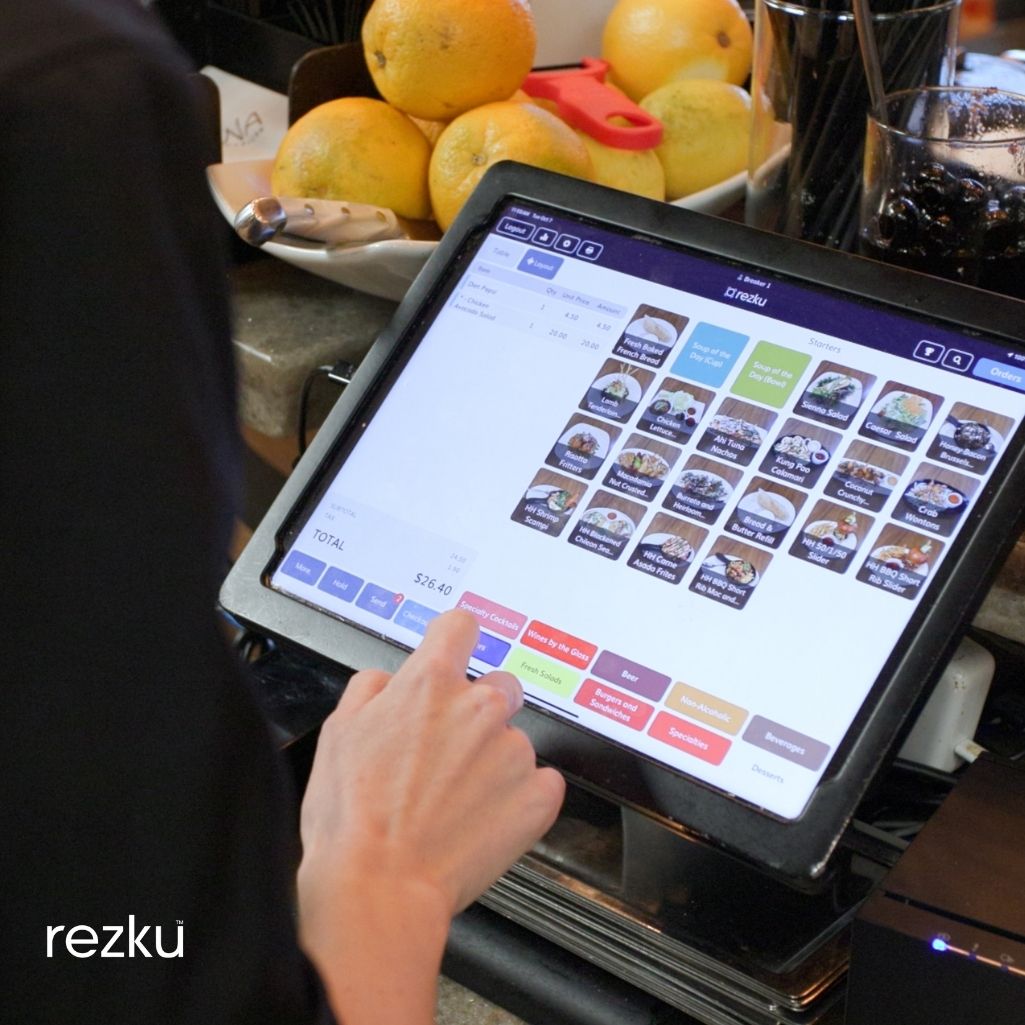
Speed is non-negotiable in a restaurant. Your staff should be able to enter orders quickly, with minimal taps and without having to search through cluttered screens.
A modern POS organizes menu items clearly, groups modifiers logically, and supports rapid service even during peak hours.
Faster order entry improves service flow and reduces errors that frustrate both the kitchen and the guest.
How Rezku handles it:
Rezku’s interface is designed for real restaurant conditions, not for show. Buttons are easy to find, menus load instantly, and servers can move through order entry without hesitation.
Modifiers and combos are easy to update, and handhelds enable tableside ordering that cuts several minutes off each turn.
Staff adapt quickly because the system feels natural, familiar, and clearly organized.
2. Real Time Reporting and Analytics
Restaurant operators need live insights into sales, labor, menu performance, discounts, voids, and cost trends.
A POS should give you access to data at any moment, from any device, so you can make decisions based on facts rather than assumptions.
Strong reporting makes forecasting easier, helps identify bottlenecks, and supports staff scheduling and inventory planning.
How Rezku handles it:
Rezku provides real-time dashboards that update instantly as orders are placed. Owners can check sales, labor percentages, and menu mix from their phone or laptop, even when they are away from the restaurant.
Reports are easy to filter, export, and compare, which helps operators understand trends quickly and take action before small issues become costly problems.
3. Menu Management and Quick Editing
Your menu changes often, and your POS must keep up. You should be able to add specials, adjust prices, swap ingredients, or change availability without calling support or navigating complicated workflows.
A good POS treats menu management as a simple, everyday task.
How Rezku handles it:
Rezku lets managers update the menu in seconds. Add items, remove items, rename dishes, change prices, or adjust modifiers instantly.
Changes sync across all terminals, handhelds, and online ordering channels without delay. This keeps front-of-house, back-of-house, and digital menus aligned throughout the day.
4. Employee Management and Permissions
A POS should help you manage your team, not just your orders.
Time clocks, performance reporting, security permissions, and role-based access ensure the right people see the right tools.
This improves accountability and reduces the risk of unauthorized changes or errors.
How Rezku handles it:
Rezku includes built-in time tracking, simple permission settings, and user-level controls.
Servers, bartenders, hosts, and managers each have access to the tools they need without overexposure to sensitive data. This supports cleaner reporting and reduces confusion during service.
5. Inventory Tracking and Ingredient Level Management
Inventory is one of the biggest cost drivers in a restaurant, which makes accurate tracking essential.
A strong POS offers real-time depletion, recipe-based costing, par level controls, vendor tracking, and usage insights.
Systems that lack adequate inventory tools force operators to rely on manual spreadsheets or guesswork, leading to waste and higher food costs.
How Rezku handles it:
Rezku’s inventory tools automatically track every ingredient. Each sale adjusts inventory in real time based on recipes you set, giving you a live picture of what is being used.
Managers can spot waste patterns, identify costly items, compare theoretical versus actual usage, and reorder with confidence.
This level of visibility helps operators protect margins and reduce surprises.
6. Kitchen Display System (KDS) Integration
The connection between the front and back of house determines how smoothly service runs. A POS should communicate with a KDS to deliver clear, organized ticket information to the kitchen.
Strong KDS integration prevents lost tickets, improves accuracy, and speeds up preparation times.
How Rezku handles it:
Rezku integrates tightly with KDS screens so that orders appear instantly with proper formatting and course timing.
The kitchen can bump items, monitor prep times, and stay organized during rush periods.
Tickets remain legible and consistent across all stations, eliminating miscommunication and reducing ticket times.
7. Integrated Online Ordering and Delivery Tools
Online ordering has become essential for most restaurants. Your POS should work seamlessly with your website, third-party delivery services, and in-house ordering platforms.
Unified ordering prevents staff from manually re-entering orders and ensures menus stay consistent everywhere customers interact with your brand.
How Rezku handles it:
Rezku integrates with online ordering and delivery partners so that orders flow straight to the kitchen without manual entry.
Menu updates sync across all platforms, ensuring accuracy and reducing errors.
No double entry, no mismatched pricing, and no lost orders. Everything works as one system.
8. Tableside Ordering and Handheld Devices
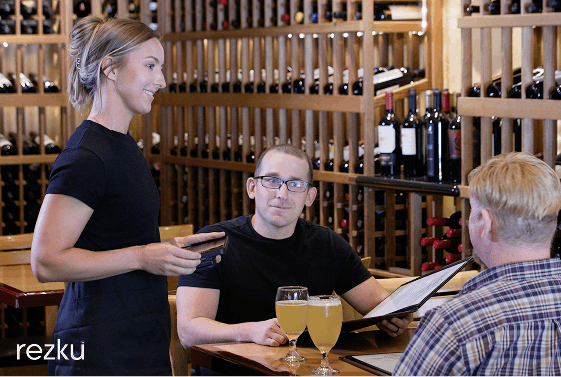
Handheld ordering speeds up service, boosts table turn times, and increases accuracy by allowing staff to enter orders directly in front of guests.
A POS that supports tableside ordering makes your entire floor operate more efficiently.
How Rezku handles it:
Rezku’s handhelds are lightweight, fast, and built for real service environments.
Servers can take orders at the table, send them straight to the kitchen, and process payments without returning to a terminal.
Guests receive food faster, errors decrease, and the overall experience improves.
9. Multi-Location Management
Restaurants with multiple units need centralized controls.
A good POS must allow operators to adjust menus, pricing, and permissions across all stores from one dashboard, while still viewing performance individually. This simplifies management and supports growth.
How Rezku handles it:
Rezku provides a unified dashboard for multi-location operators.
Update the menu once and push it to all locations instantly. Compare sales and labor across stores, manage staff at the group level, and pull consolidated reporting.
Whether you manage two locations or twenty, Rezku keeps everything connected.
10. Flexible Payment Options and Modern Processing
Guests expect quick and convenient payment choices. A POS should support EMV chip cards, contactless payments, mobile wallets, QR code payments, split checks, and partial payments.
Payment flexibility improves the guest experience and keeps service moving.
How Rezku handles it:
Rezku supports a wide range of modern payment options, including tap-to-pay, swipe, chip, and digital wallets.
Servers can handle split checks, group payments, and tableside transactions smoothly.
Payments process quickly, helping maintain fast table turns and reducing wait times.
Don’t Forget to Consider Restaurant POS Hardware Options, Too
Software is only part of your POS. Hardware plays a major role in the speed and reliability of your system. When upgrading, consider terminals, handhelds, printers, kitchen screens, and payment devices. Quality hardware helps prevent delays, ensures durability during peak hours, and supports smoother communication across the restaurant.
Cloud-based systems give you more hardware flexibility. You can use modern tablets, lightweight handheld devices, and simple network setups instead of bulky servers or outdated equipment.
Strong hardware keeps your entire operation efficient and reduces maintenance costs.
How Rezku handles it:
Rezku provides a range of hardware designed specifically for restaurant conditions. Terminals respond quickly, screens are easy to read, and handhelds are comfortable for continuous use.
The system connects over the cloud, which eliminates the need for on-site servers or complex wiring.
Everything is built to be durable, stable, and easy for staff to learn.
Easily Upgrade Your Restaurant POS System With Rezku Today
Rezku delivers all the essential POS features modern restaurants need, with the speed and reliability that operators expect.
From fast order entry and real-time inventory updates to KDS integration, online ordering, and handheld service, Rezku is designed to make daily operations run more smoothly.
Operators choose Rezku because it solves the real pains that disrupt service, slow down the kitchen, and hide food costs.
When you upgrade with Rezku, you get a system built for accuracy, efficiency, and long-term growth.
Final Thoughts
Upgrading your restaurant POS system is an investment in smoother service, stronger reporting, and better control over your operation. The right features improve order speed, reduce mistakes, and give you a clear understanding of your costs.
A fully modern POS also supports online ordering, real-time inventory, handheld devices, and multi-location management.
Rezku brings all of these capabilities together in a single platform built specifically for restaurants. By choosing a POS that aligns with your needs, you set your business up for stronger performance, happier guests, and more confident decision-making.
Is Rezku the POS system you’ve been searching for?
Get a custom quote and start your free trial today.
Related Posts