How Restaurants Use a Kitchen Display System (KDS)

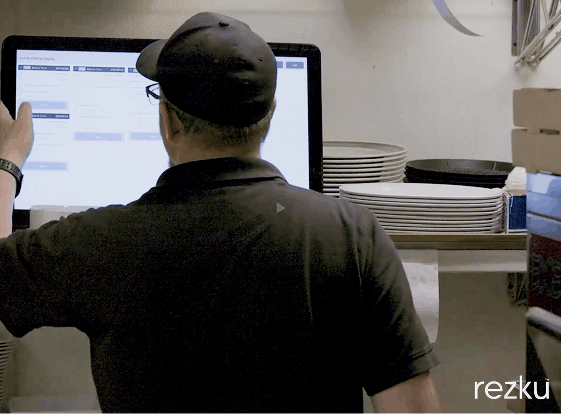
A kitchen display system (KDS) is one of those tools that doesn’t look dramatic from the outside—but once it’s in place, it quietly changes how the entire kitchen operates.
At its core, a KDS replaces paper tickets with digital order screens that update in real time. Orders flow directly from the POS to the kitchen, organized by station, priority, and timing. No runners. No yelling. No guessing which ticket is next.
For small to mid-sized independent restaurants, a KDS isn’t about being flashy. It’s about control, clarity, and consistency during the busiest parts of service.
What a KDS Actually Does (Beyond Replacing Paper Tickets)
Many operators think a KDS is just a TV that shows orders. In reality, it’s a workflow management system for the back of house.
A modern KDS:
-
Receives orders instantly from the POS
-
Routes items to the correct prep stations
-
Tracks ticket times automatically
-
Shows order status across the kitchen and front of house
Instead of managing service by memory and verbal cues, the kitchen works from a shared, real-time source of truth.
That shift alone eliminates a surprising amount of friction.
Why Restaurants Move Away From Paper Tickets
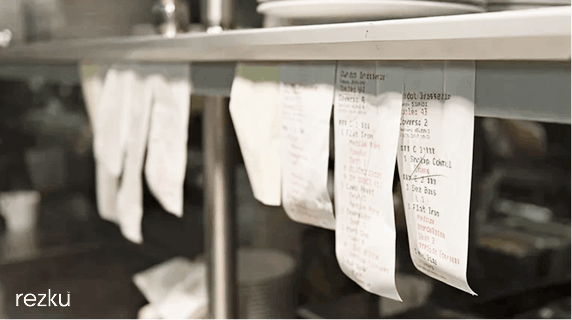
Paper tickets fail in predictable ways:
-
They get lost, smudged, or stuck together
-
Handwriting causes mistakes
-
Modifications are missed
-
There’s no reliable sense of timing
During peak service, paper turns into noise. Cooks stop cooking and start decoding.
A KDS removes that ambiguity. Orders are legible, timed, and visible to everyone who needs them—without interrupting the line.
How a KDS Is Used During Live Service
1. Orders Flow Instantly From POS to Kitchen
The moment a server sends an order—or an online order comes in—it appears on the KDS. There’s no delay, no handoff, and no chance of a ticket sitting in a rail unnoticed.
This immediate visibility shortens ticket times and gives the kitchen a better sense of pacing throughout the shift.
2. Stations See Only What They Need to See
Most kitchens don’t want every cook staring at the same wall of tickets.
A properly configured KDS routes items by station:
-
Grill sees proteins
-
Fry sees fried items
-
Pantry sees salads and cold prep
This keeps each station focused while still allowing coordination across the line.
Many kitchens also use an expo view, which shows all items across all stations. Expo becomes the control tower—able to monitor progress, spot bottlenecks, and coordinate plate assembly.
In modern systems like Rezku’s sKDS, expo can even switch between station views without physically moving screens.
3. Ticket Timing Becomes Visible (Without Yelling)
A KDS automatically tracks how long each ticket has been active. Instead of someone asking “how long on that table?”, the answer is already on the screen.
Visual cues—like color changes as tickets age—make priorities obvious:
-
Fresh tickets
-
Tickets approaching target time
-
Tickets that need immediate attention
This allows the kitchen to self-correct before delays turn into complaints.
4. Cooks Control the Flow With Simple Actions
Most KDS platforms allow cooks to:
-
Mark items complete (cross off items)
-
Bump tickets when finished
-
Flag orders as rushed
These actions don’t just clean up the screen—they communicate progress across stations and back to the front of house.
Some kitchens also use bump-to-station or bump-to-printer workflows, where completed prep automatically triggers the next step in an assembly-line process.
5. “All Day” Counts Help High-Volume Stations Stay Ahead
For stations like grill or fry, seeing individual tickets isn’t always enough.
“All day” views show the total quantity of items needed across all open tickets:
-
12 burgers all day
-
8 orders of fries all day
This allows batching and smarter firing decisions—especially during rushes—without flipping between tickets or doing mental math.
It’s one of those features cooks appreciate immediately once they use it.
Hardware Reality: Screens Don’t Belong Everywhere
Despite what some vendors imply, not every piece of kitchen hardware belongs directly over heat or grease.
That’s why many modern KDS setups:
-
Use tablets or standard displays at stations away from fryers and grills
-
Combine screens with printers where paper still makes sense
-
Focus on visibility, not durability theater
Software-based KDS platforms (like sKDS) give operators flexibility: Android tablets, iPads, or standard displays depending on the station and environment.
The goal isn’t eliminating paper everywhere—it’s improving communication where it matters most.
Why a KDS Improves More Than Speed
Speed gets the headlines, but restaurants often see other gains first:
-
Fewer remake tickets
-
Better communication between FOH and BOH
-
Less stress during peak service
-
More consistent execution across shifts
When the kitchen knows exactly what’s needed, when it’s needed, and what’s already done, service feels calmer—even when it’s busy.
That calm translates directly into better food and better guest experiences.
Rolling Out a KDS Without Disrupting Service
The smoothest KDS rollouts share a few traits:
-
Install during off-hours
-
Train during a slower shift
-
Run paper tickets in parallel for a few days
Assigning a respected line cook as a “KDS champion” also helps adoption. Peer confidence matters more than management mandates.
Once the team realizes the system reduces interruptions and guesswork, resistance usually fades fast.
Final Thought
A kitchen display system isn’t about technology for its own sake. It’s about giving your kitchen a shared language—one that doesn’t rely on shouting, guesswork, or memory.
When implemented thoughtfully, a KDS becomes invisible in the best way possible. Service runs smoother. The kitchen stays calmer. And everyone knows exactly what needs to happen next.
Rezku’s sKDS was built around those real-world workflows, helping independent restaurants modernize without overcomplicating the line.
Frequently Asked Questions About Restaurant KDS
What is a kitchen display system used for?
A KDS is used to display and manage kitchen orders digitally, replacing paper tickets and improving speed, accuracy, and communication.
Is a KDS only for large restaurants?
No. Many independent restaurants benefit the most because a KDS reduces mistakes and stress without adding management overhead.
Can a KDS work with both screens and printers?
Yes. Many kitchens use hybrid setups where some stations use screens and others still receive printed tickets.
Does a KDS replace an expeditor?
Not entirely—but it makes expo far more effective by giving real-time visibility into every station.
What should I look for in a KDS?
Reliable POS integration, flexible station views, timing visibility, and workflows that match how your kitchen actually operates.
Is Rezku the POS system you’ve been searching for?
Get a custom quote and start your free trial today.
Related Posts